Skip to content
Scan to Flow

iOS · AndroidBarcode · QR · Webhook

Scan. Connect. Automate.

The scanner that fills your own form and sends every record to your webhook or API. No account. No backend. Open the app and start scanning.

  • iOS & Android
  • No account
  • Works offline
  • JSON over HTTPS
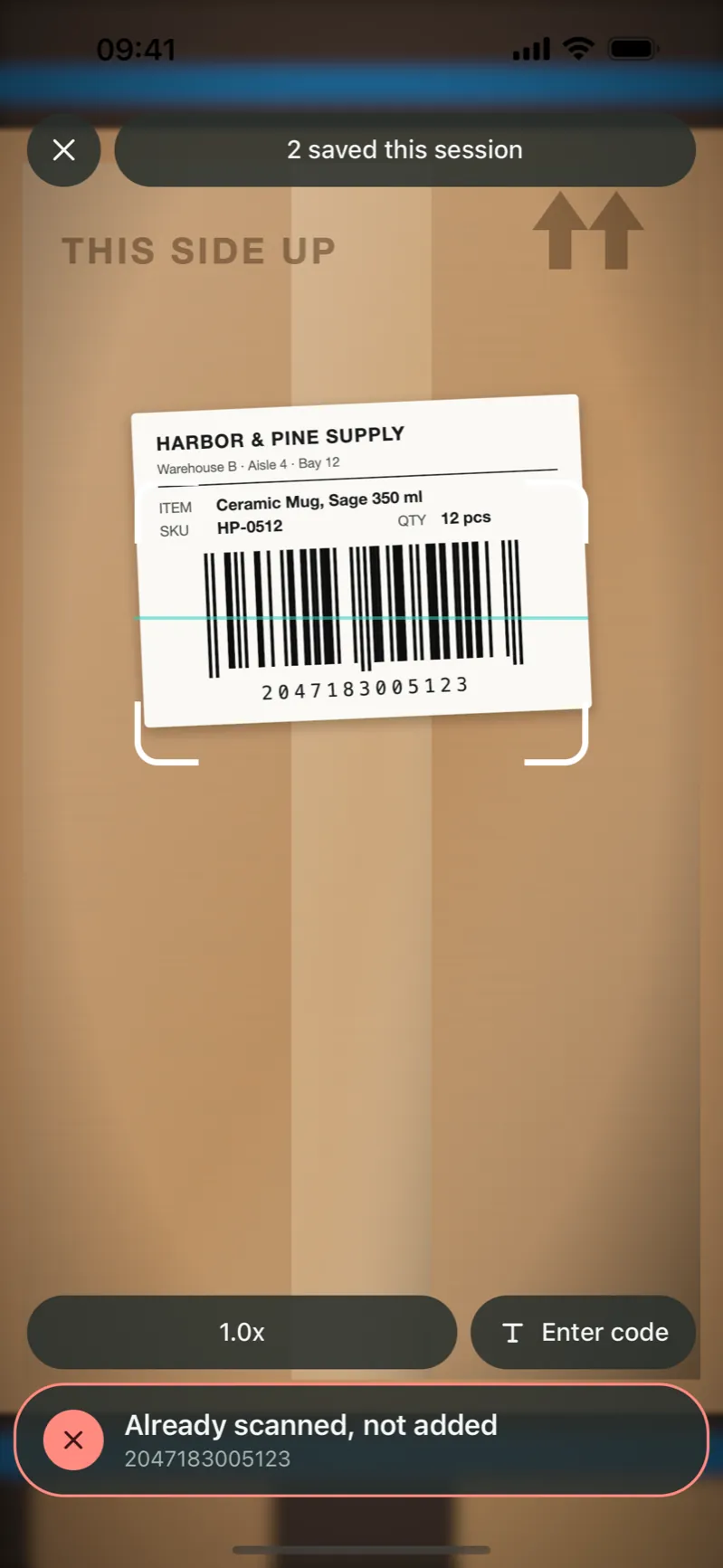
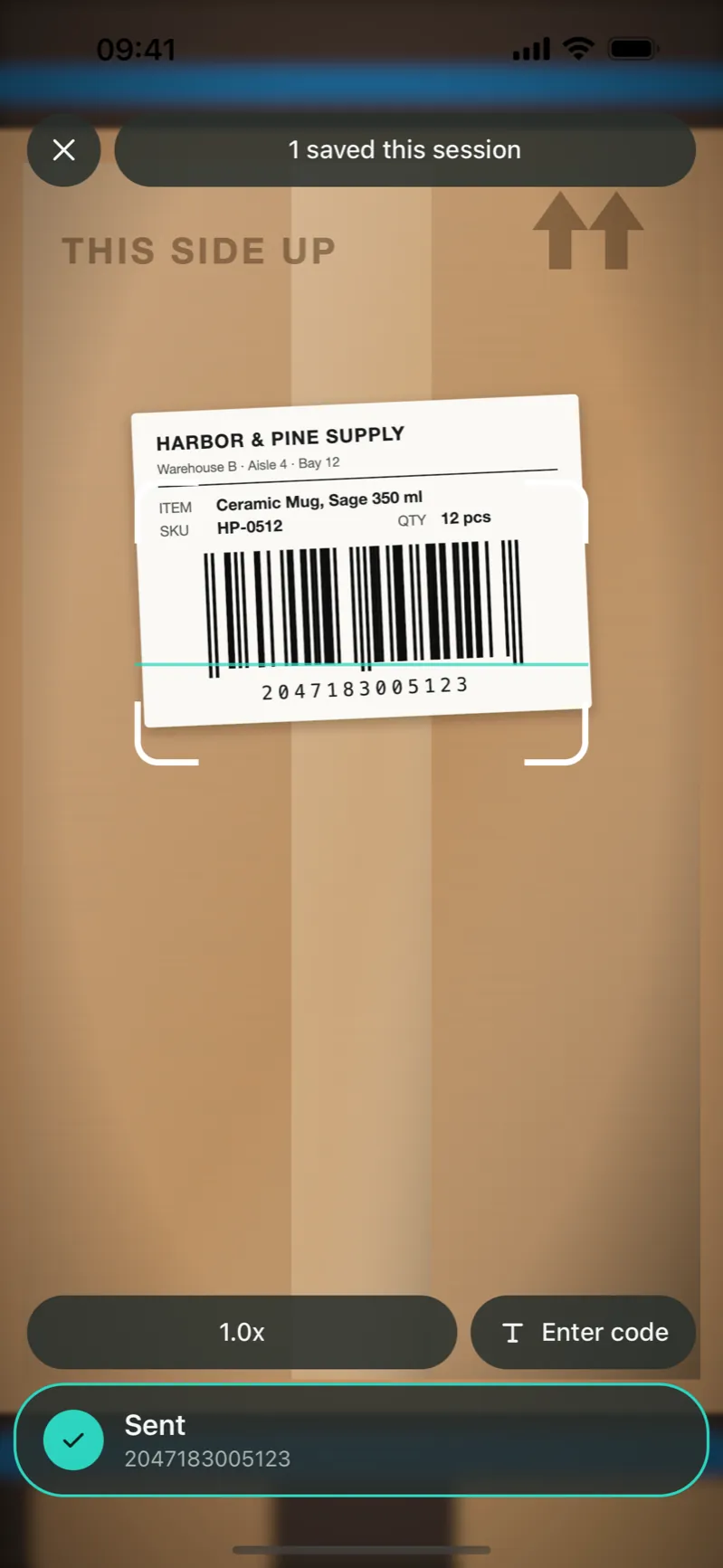
Scan to Flow camera scanning a shipping label, with a Sent confirmation
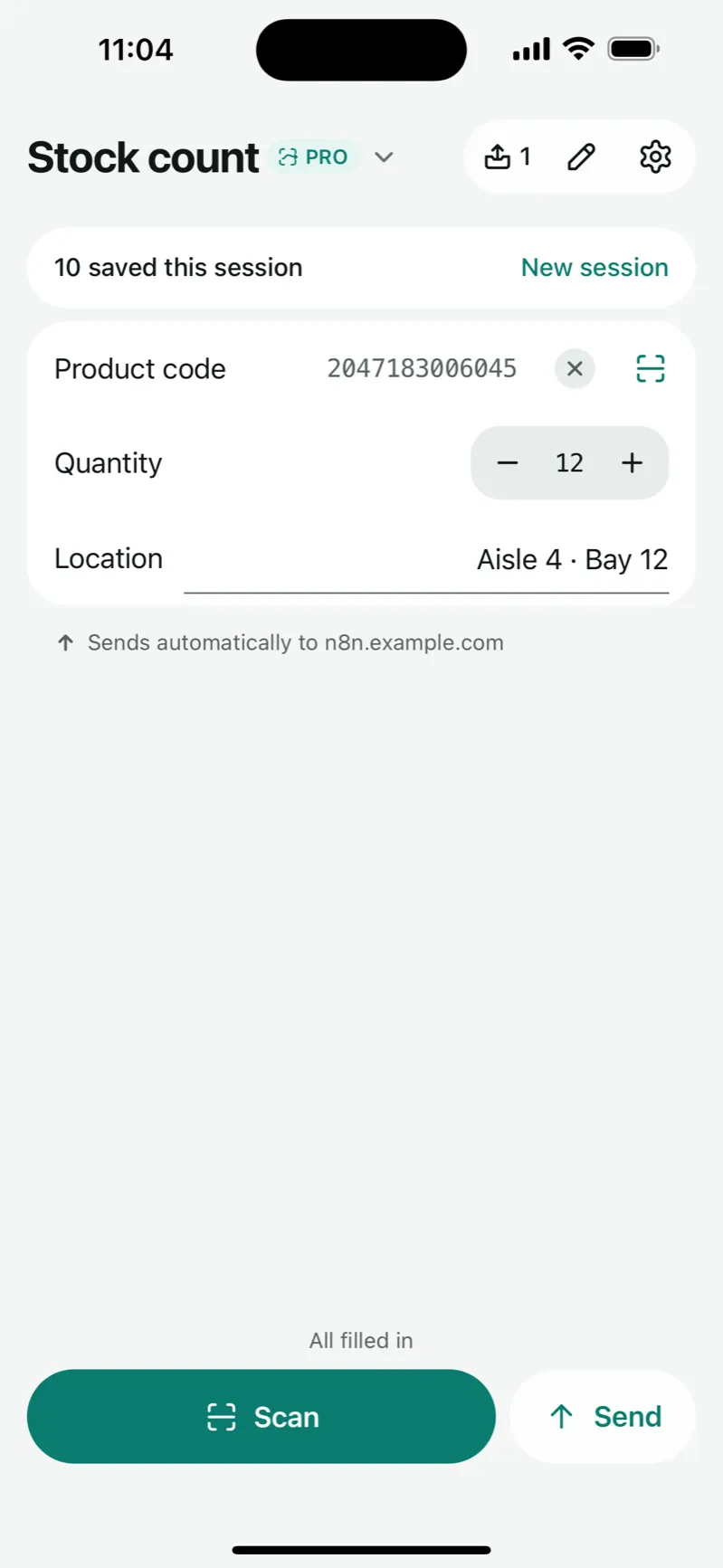
POSTn8n.example.com/webhook/stock-count
{
  "schema": 1,
  "records": [{
    "record_id": "c2f1a3e0-5d1b…",
    "data": {
      "sku": "2047183005123",
      "qty": 12,
      "location": "Aisle 4 · Bay 12"
    }
  }]
}
Sending…Delivered · 200 OK 1 / ∞
Field types
  • Barcode
  • QR code
  • Code list
  • Text
  • Number
  • Checkbox
  • Dropdown
  • Quick choice
  • Date & time
  • Timestamp
  • UUID
  • Constant
  • Sequence
  • Operator
  • Photo

01How it works

From a code on a box to a row in your workflow.

  1. 01

    Scan

    Point the camera at a barcode or QR code. One code per record, or a whole box in a row.

  2. 02

    Your form fills itself

    The code lands in the right field and the form moves to the next one. Quantity, location, photo: you decide what a record holds.

  3. 03

    It flows to your server

    The record is saved on your phone first, then sent as JSON to your webhook or API. If sending fails, it waits and retries.

02Features

Small app. Serious workflow.

Everything a scan needs between the camera and your server, and nothing in the way when you just want to scan.

Build the form you need

15 field types, required fields and pinned values. Start from a template, then make it yours. Share a form with your team as a file; secret values are never included.

  • Barcode
  • QR code
  • Code list
  • Text
  • Number
  • Checkbox
  • Dropdown
  • Quick choice
  • Date & time
  • Timestamp
  • UUID
  • Constant
  • Sequence
  • Operator
  • Photo

Five ways to scan

  1. 01One code per record
  2. 02Several fields in a chain
  3. 03Continuous scanning
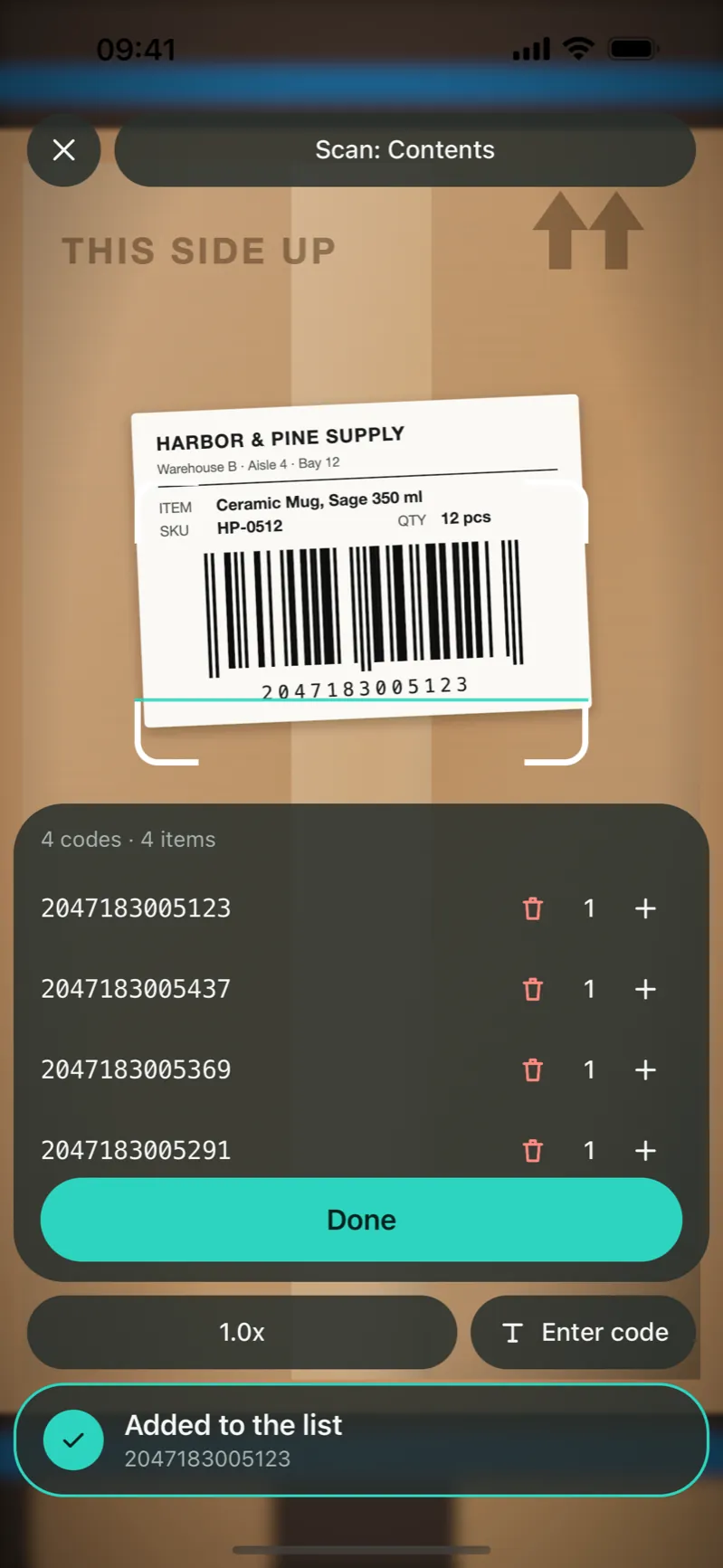
  4. 04Code lists
  5. 05Several codes in one view (beta)

Catch duplicates instantly

Warn, block, or add up a quantity when the same code comes back.

2047183005123Added
2047183005123Already scanned, not added

Offline first. Never lose a scan.

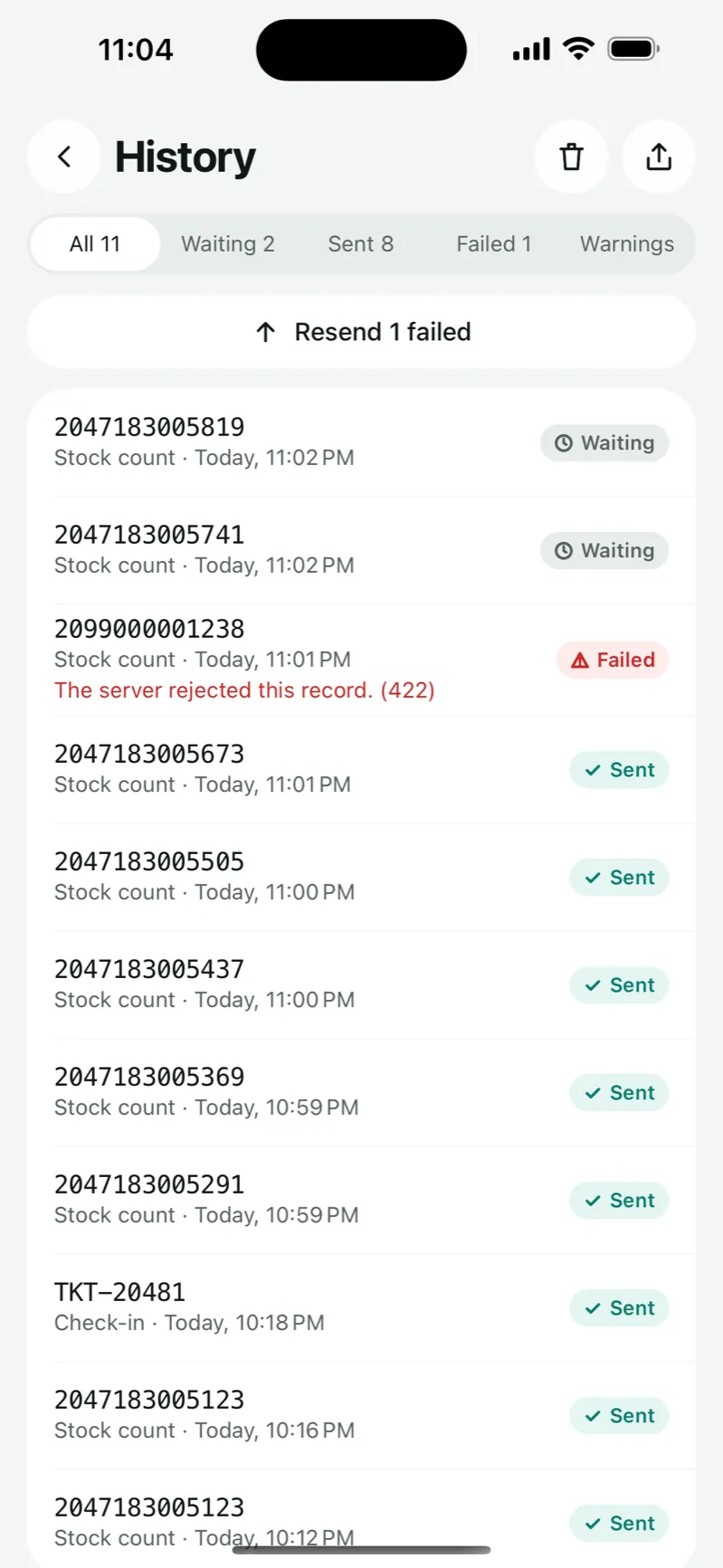
Every record is saved on the device first. Unsent records wait in a queue and are never removed automatically. Sending runs while the app is open.

  • ● Sent
  • ◌ Waiting
  • ▲ Failed · 422

Send to any webhook or API

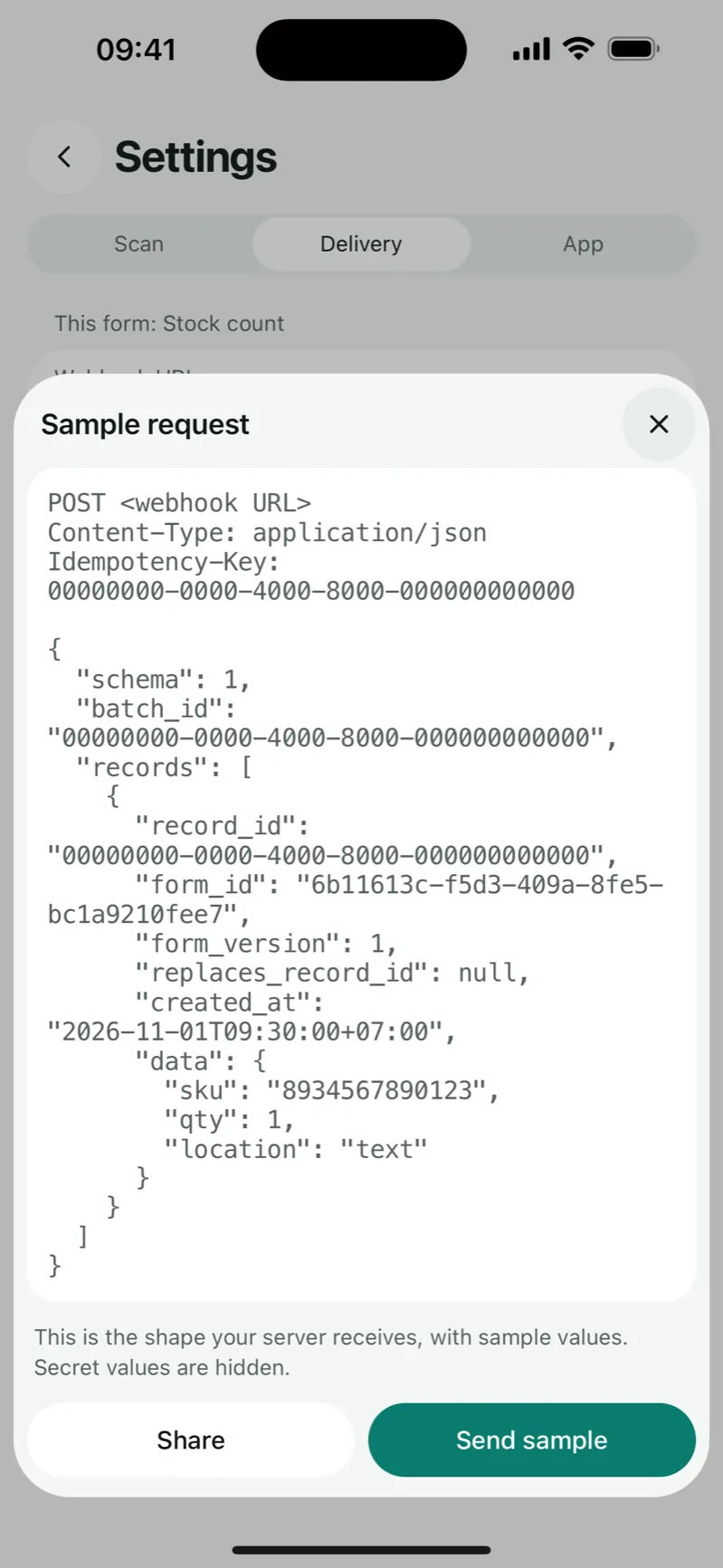
JSON with custom headers, one record or a batch, automatic retries with the same record ID on every attempt. See your server’s response right after a scan.

POST /webhook/stock-count
Content-Type: application/json
Authorization: Bearer ••••••••
Idempotency-Key: c2f1a3e0-…

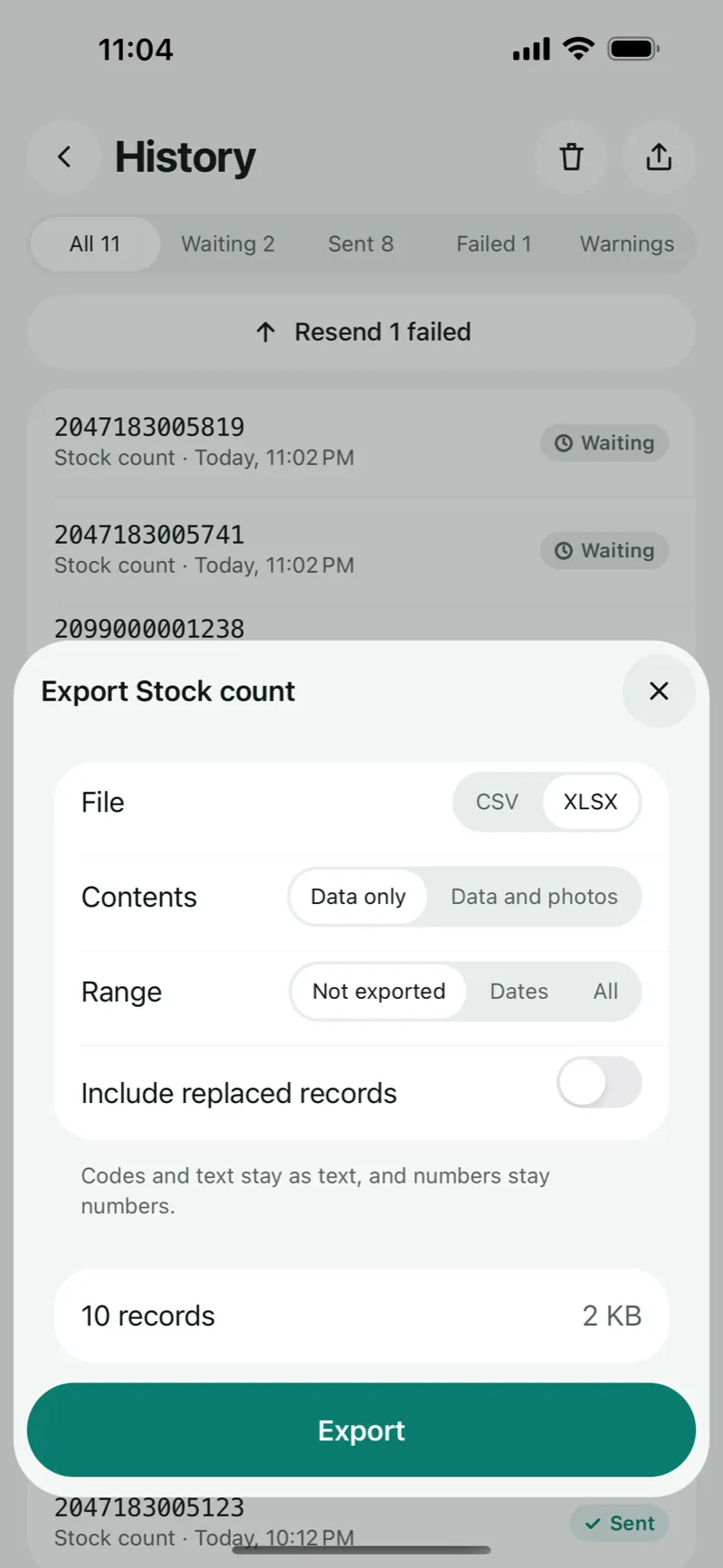
Export to CSV & Excel

Take your records anywhere: CSV, XLSX, or a ZIP that includes the photos.

  • records.csv
  • records.xlsx
  • records+photos.zip

Secrets stay secret

Destination URLs and secret headers live in the iOS Keychain or Android Keystore, never in exports, logs or analytics.

KeychainKeystoreHTTPS

03Screens

See it in action.

04Templates

Ready for the jobs you scan every day.

Pick a template and start in seconds. Every field can be renamed, removed or extended.

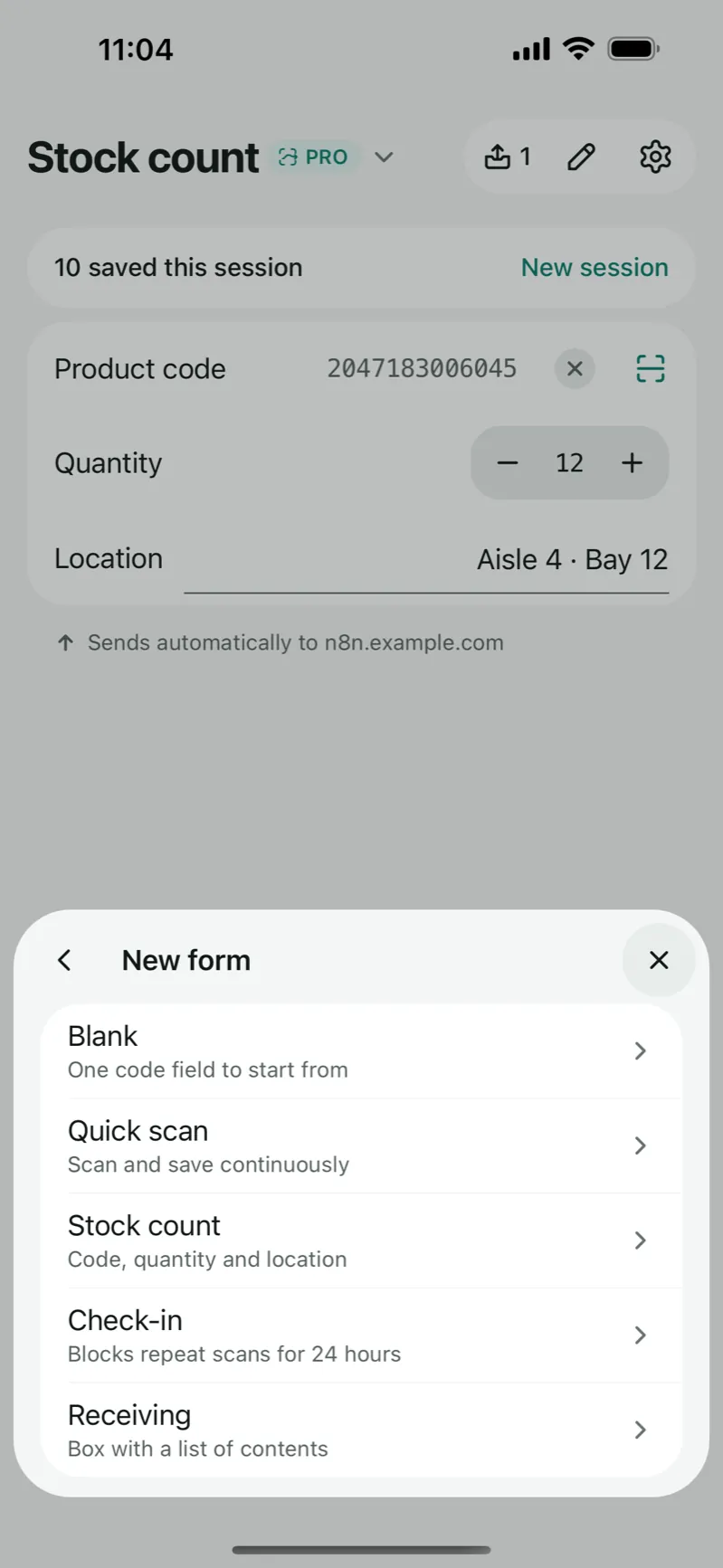
  • Quick scan

    One code, one timestamp. The fastest way to a list.

    { code, scanned_at }

  • Stock count

    Product code, quantity and a location that stays pinned between scans.

    { sku, qty, location }

  • Check-in

    Scan a ticket or badge and record when each person arrived.

    { ticket, checked_at }

  • Receiving

    Scan the box, then every item inside it, and note its condition.

    { box, items[ ], condition }

05Privacy

Your data stays yours.

Read the Privacy Policy
No account, no backend
There is no Scan to Flow server. Nothing to sign up for.
Only where you send it
Form data, scanned values and photos go only to the destinations you set.
Minimal, anonymous analytics
Usage events and crash reports never include what you scan. Turn analytics off in Settings.
Non-personalized ads
The free version never asks to track you and never reads the advertising ID.

06Free & Pro

Free to start. Pro when it’s part of the job.

Free

Every feature, with limits

  • All field types, scan modes and templates
  • 20 successful send requests per install
  • Export up to the newest 100 records
  • Non-personalized ads

Pro

For daily use

  • No ads, anywhere
  • Unlimited sends
  • Unlimited export
  • Monthly or yearly subscription

Prices are shown in the app, in your local currency. Records held by a limit stay safely in the queue and are never lost.

07FAQ

Questions, answered.

Something else? pmkha92@gmail.com

Do I need an account?

No. Open the app and start scanning. The only setup is choosing your language once.

Which servers can it send to?

Any HTTP endpoint that accepts JSON: an n8n webhook, Google Apps Script, Make, your own API. You can add custom headers, such as an authorization token.

Does it work without internet?

Yes. Scanning, editing and history work offline. Records wait in a queue and are sent when you are back online with the app open.

What happens when sending fails?

The record stays on your phone, marked as failed or waiting, and is retried with the same record ID, so your server can safely ignore duplicates. Unsent records are never removed automatically.

Can the developer see my scans?

No. Form data, scanned values, photos, URLs and headers are never sent to the developer. Only anonymous usage events and crash reports are, and you can turn analytics off in Settings.

How do I cancel Pro?

Pro is managed by the App Store or Google Play. Cancel any time in your store account’s subscription settings, at least 24 hours before the period renews.

Point. Scan. Done.

Free on iOS and Android.